I Don't Want No Py On Pi
Once upon a time I decided to get an inexpensive computer for some experiments. I decided to try out Raspberry Pi - I heard a lot of promising things about it in the past, so I made the purchase. For a period of time I did not have a clear idea about how to properly utilize it, but after speaking with my mom I realized there is something valuable I can bring into the world. She mentioned that watching movies on TV in unbearable - lots of ads, start playing late into the night, can't really choose what one wants to watch. The obvious solution would be to get some kind of subscription for a streaming service; however, my mom is not really tech savvy and I would assume that using a big company's app is not really the best fit here. I decided to take the matter into my own and coding agents hands and develop a simple app that would use torrent to fetch the movies or series, without sharing the files - legal under Polish copyright law.
It turned out to be a little more complicated than I expected. I would like to write down my experience - maybe it will help someone in the future.
First misses
I had little idea about GUI when I started. My favorite language at that time was Python, so I figured that even if I make an app using AI support, I should make it in Python to understand what's going on. The first version of the app was constructed fully in Google AI Studio's chat with Gemini 2.5 Pro. It is free, it got great benchmark results, so it should be a breeze right?
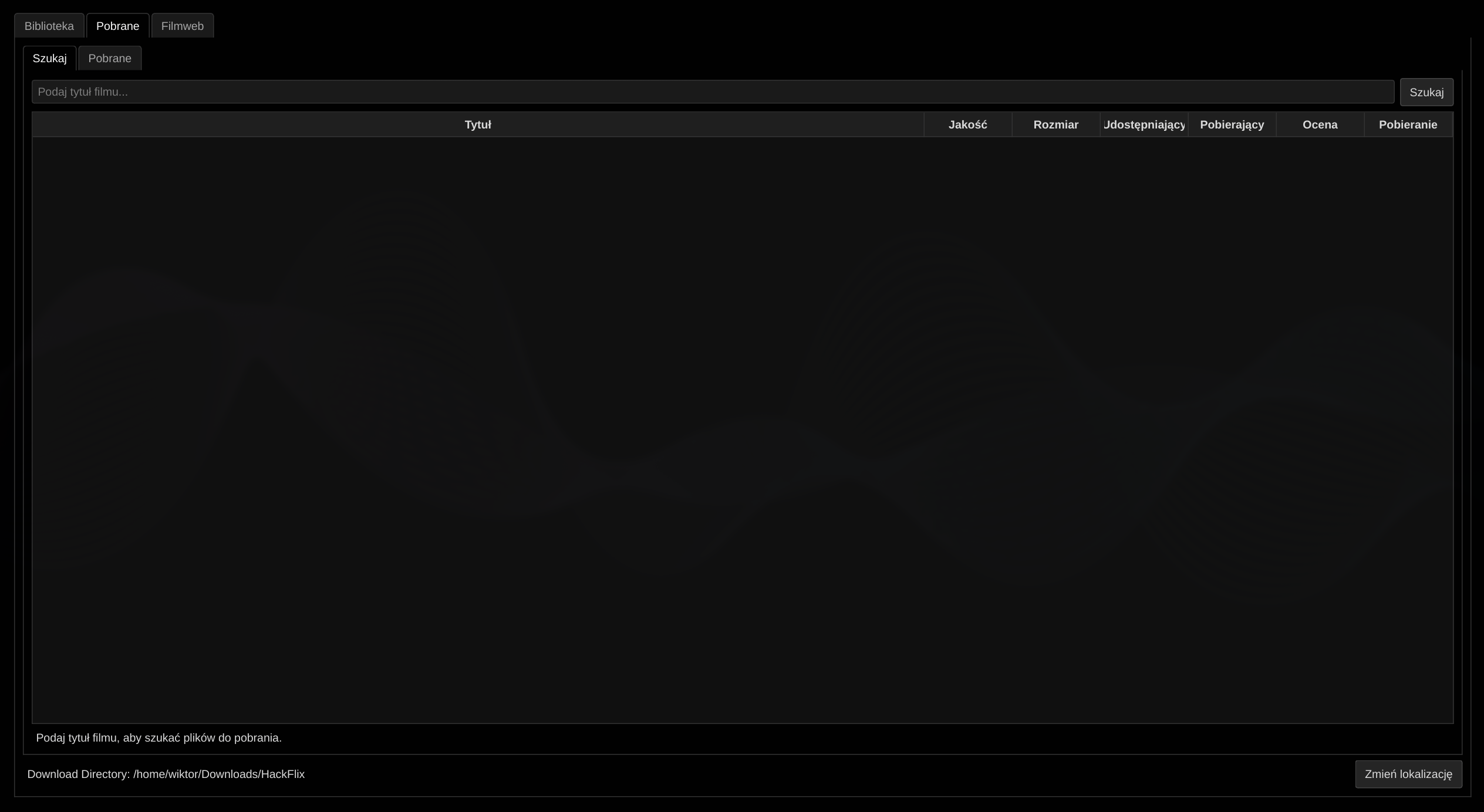
Well, not exactly. For some reason, Gemini formatted the output in a really bizarre way. Added additional spaces, semicolons at the end of the lines. The code was a mess, it took several approaches to get it to work. In the end, I got a working ugly duckling. It was working! At the same time, it was complicated and hard to explain to a non technical user, meaning that my goal of beating a streaming service has failed.
Starting from scratch
I understood that letting Gemini take the wheel is not the best approach. I started again with my new coding agent, Claude. This time I started from preparing docs that described what I wanted to do in more detail. I had some experience with requirements in my previous job and I know that having them is the best way to verify the features later. I knew I had to make the app way easier, so I removed some complicated features like browsing the web for the new movies or a view for downloading progress. Firstly, we cooked some simple documentation with brief specification. After that we moved to system architecture. I reviewed the docs, then asked Gemini 3 Pro to do it as well, and then started code generation.
This part was the easiest and simplest. I was developing on my x86-64 laptop. I asked the coding agent to prepare implementation plan and stick to it. I specified that we need to have 100% line coverage after finishing each phase of development. I got 90% of the app working in a couple of days. Or so I thought; I was gleefully unaware of what I had not known.
Cutting the infeasible
One of the app's feature was to provide a full voiceover for the foreign movies. I thought the idea was pretty simple and easy to execute. We take the existing subs, pipe them to TTS, use timestamps to mix the audio in the existing video and we end up with a new voice track. Unfortunately, there were several issues, more and less impactful. I think I would be able to solve some of them if I focused more - things like audio being silenced for the whole length of the track instead of only during the voiceover; voiceovers stacking up one after another, meaning there was someone talking long after the relevant scene. The biggest issue I had was that the lower cost models just feel so plain, so soulless. Of course, I could use a high grade model from a specialized company, but if I were to generate it for every single video I would quickly run out of money.
Some time after I removed the feature I saw that a business raised a couple of million dollars to achieve that goal. Well, I still believe it is not that hard to achieve, especially if someone has their own TTS inference. However, I had no time to debug it, so I decided to scrap it and move on.
Missing wheels
I thought that development was finished, so I set up my Pi, cloned the repo, installed uv, tried to sync it. Then! I get an error while installing the packages. Great start. A quick search reveals that for my particular processor architecture there is no PyQt5 wheel available. I thought that getting a brand new powerful Pi with Arm processor would mean less issues; unfortunately that was not the case. A lot of resources online are dedicated to troubleshooting Pi 4 and below, as well as X11 instead of Wayland.
I got a bit stressed and unluckily, I decided to ask Claude what my options were. Claude had a brilliant idea to port the code to PySide6. It seemed like a good option, so I asked for a port and Claude willfully obliged.
Painful port
At first, everything seemed to be OK. The port was not that hard, in the end PySide6 has very similar functionality. There were some minor differences, I guess the PyQt5 being an older version also played a part. All unit tests were passing, so I moved on with the development.
Unluckily, when I ran the app for a longer time, it always crashed in the end. I had my torrent service print out the current status of the files to the logfile and use that information to update the GUI. It was not that often, but maybe it was too much for my Pi to handle. The app kept crashing with following error message:
Fatal Python error: none_dealloc: deallocating None: bug likely caused by a refcount error in a C extension

File "/home/pi/hackflix/src/services/torrent_service.py", line 164 in run

Extension modules: shiboken6.Shiboken, PySide6.QtCore, PySide6.QtGui, PySide6.QtWidgets (total: 4)
Obviously, there was something wrong either with the torrent service, or PySide6, or the relation between them. I lowered the frequency of the updates, but similar error mentioning dereferencing came back again and again, without mentioning torrent. I figured out that trying to solve this issue without having a firm understanding of PySide6 would be a nightmare. Searching the internet did not give me many helpful results. I decided that I would rather struggle with wheels or simply build it separately and then copy it to Pi, but it turned out I missed something important - PyQt6 had working wheels for my architecture. I ordered a port to PyQt6 and these errors never came back again.
Broken translation
There are lots of subtitles available via OpenSubtitles API, but I was worried - what if there are no Polish subtitles for a very particular movie? I assumed the most popular language would be English, so I just need to figure out automatic translation. It seemed like a really easy task these days - parse the subtitles file, send function call requests to LLM, save them in a file. Still, I managed to make a mistake even here; or, as I now realize, two mistakes.
There was no need to specify in the system prompt that the subs are in English. In fact, they could be in any modern language - I am sure Gemini would handle them easily as well.
When I sent requests to LLM, I would batch the subtitles in groups of 10 - keep some context, reduce the costs. For that, I used | as the delimiter. I had no idea that pipe character would be used in some of the subs. What happened is that my batch of 10 quickly became a batch of 11 if any of the entries had this character inside. In the end, that was a stupid choice for an unused feature - easily avoided by passing the batch as a list of strings to the function call or simply by fetching Polish subtitles (which there are a plenty of).
Sleazy subs
This was not the end of my issues with subtitles. They worked well with PyQt5 and PySide6 when I tested them briefly, but I quickly found out there are lots of various issues.
One of them was using a deprecated function to load the subtitles. Another was selecting the wrong subtitle number. The most frustrating one was when I could see subs on every single movie except for one. On top of that, when I started the video simply using VLC outside of my app, the subs were shown properly. I malded for a couple of hours when I saw during one of the LLM edits that the VLC logging was specifically turned off. When I finally could see the logs, I could tell that something was going wrong:
blending YUVA to DPS3 failed
no matching alpha blending routine (chroma: YUVA -> DPS3)
Again, searching the internet for this error message did not give me much information. Fortunately, GPT 5.5 found the solution - VLC was decoding/rendering this movie through a hardware/direct surface format (DPS3) that cannot blend subtitle overlays (YUVA). So the fix was to force a software/blendable path by using following CLI arguments for VLC startup:
--avcodec-hw=none --no-avcodec-dr --vout=xcb_x11
And following for attaching subtitles using .add_options() method:
--avcodec-hw=none --no-avcodec-dr
In the meantime, I went through a Qt native implementation of the subs with an overlay on VLC playback. Either there was a big black box around the subtitles, killing a lot of screen, or the box was transparent at the time of rendering the subtitles, making both subtitles invisible and screen ugly (the transparent box would not refresh, effectively saving a part of the frame for a couple of seconds). I had to push back AI twice that this is, indeed, not the best option.
Nested downloads
By the end of the development I started updating movies and series library with proper magnet links. I hit the wall with some of the older series. I set up my app to rely on season-wide torrents, so I would block myself out of a lot of options. Series like House are a bit dated at this point and simply the whole package has more seeds than separate seasons. I asked to make a change to make it possible to support downloading whole seasons and separate episodes.
The first download seemed to be working, but turning off and on the app did not resume the download. The GUI also did not respond properly - it stuck to its season behavior even if I was downloading whole series, meaning I could start another download process when I chose the next season.
These bugs were simple to fix, but it made me wonder why I would make such a restrictive requirement in the first place.
Blame Pi or TV?
Developing on laptop was easy; testing on Pi was a bit more challenging, but still quite bearable when connected to my monitor. The pain came with connecting to an older TV.
First issue - no image whatsoever. Quick search reveals that Pi will not send the signal to older devices via HDMI because... I am not quite sure why? There needs to be an additional config entry in /boot/firmware/config.txt that tells Pi - look, there is a device connected via HDMI, send the signal:
[all]
# Force HDMI output
hdmi_force_hotplug:0=1

# Force HDMI audio
hdmi_drive:0=2
OK, I put it in, no big deal. I boot it up, look at my TV - the image is cropped. Again, some weird mismatch between my older TV and bleeding edge Pi. A coupe searches and AI queries later I find on option to add margins to my Pi output so that it looks passable. It looks fine, so I assume everything will work in the end.
Next time I boot up the Pi, turn on the TV, my app starts, I play a video and... There is no sound. What is going on? Another Pi quirk - since I first turned on Pi and then TV, it assumed there is no device to output and therefore there is no audio service. The only way to make it work is to turn on the devices in a specific manner - first TV, switch to proper HDMI output, turn on PI - then it works.
I think to myself - well, I can just leave the Pi running, right? Well, of course not! If I keep it running and switch between HDMI outputs and get back to Pi's, then my app is not focused, meaning controls do not work. Of course I could Alt + Tab to focus the proper window, but again - this is not an app for a tech savvy person. A query to Gemini later I have a solution, change the config again and add at the end of /boot/firmware/cmdline.txt:
video=HDMI-A-1:1920x1080@60e
The 'e' forces Wayland to keep the session running after switching the output. I guess it makes sense, less power consumption. However, annoying.
Booting too fast for HDD
The next issue was more of a peripheral hardware problem rather than Pi itself. I wanted my app to turn on automatically after booting. I had no problems when testing it with restarts - I only found out when I attempted a cold boot. The HDD where I kept all the video files took around 20 seconds to be up and running - meaning when I saw the app, I could not in fact use it. I modified the /etc/fstab entry to automount the HDD whenever any app requests it. Now I can see the desktop for a couple seconds before the app is running, but I can watch the videos immediately. There is an obvious improvement here to add some kind of loading screen, but I am not sure if I want to have fun with that.
Connectivity problems
At the beginning of my work with Pi I could not get WiFi to work. What I mean is that I could connect to my network, but I could not view any webpage - I figured out that would be a problem when trying to download anything. I could easily ping 8.8.8.8, but I could not ping google.com (getting no response). I changed DNS servers to set it to 8.8.8.8 and it started working.
This might have been as well a problem with my router, but I was able to connect various other devices via WiFi and only with Pi I had this issue. Why?
Blocked torrent
One of the most frustrating challenges I had was to make torrent work. At first, I suspected that libtorrent is not working properly and I had to use something different. I installed Transmission and had the same issue, so it was something more about the system and torrent rather than just a specific library.
My research unveiled that libtorrent was binding to localhost. Specifying my IP and binding libtorrent to that solved the issue. Again, something that I have only experienced on Pi.
Lessons learned
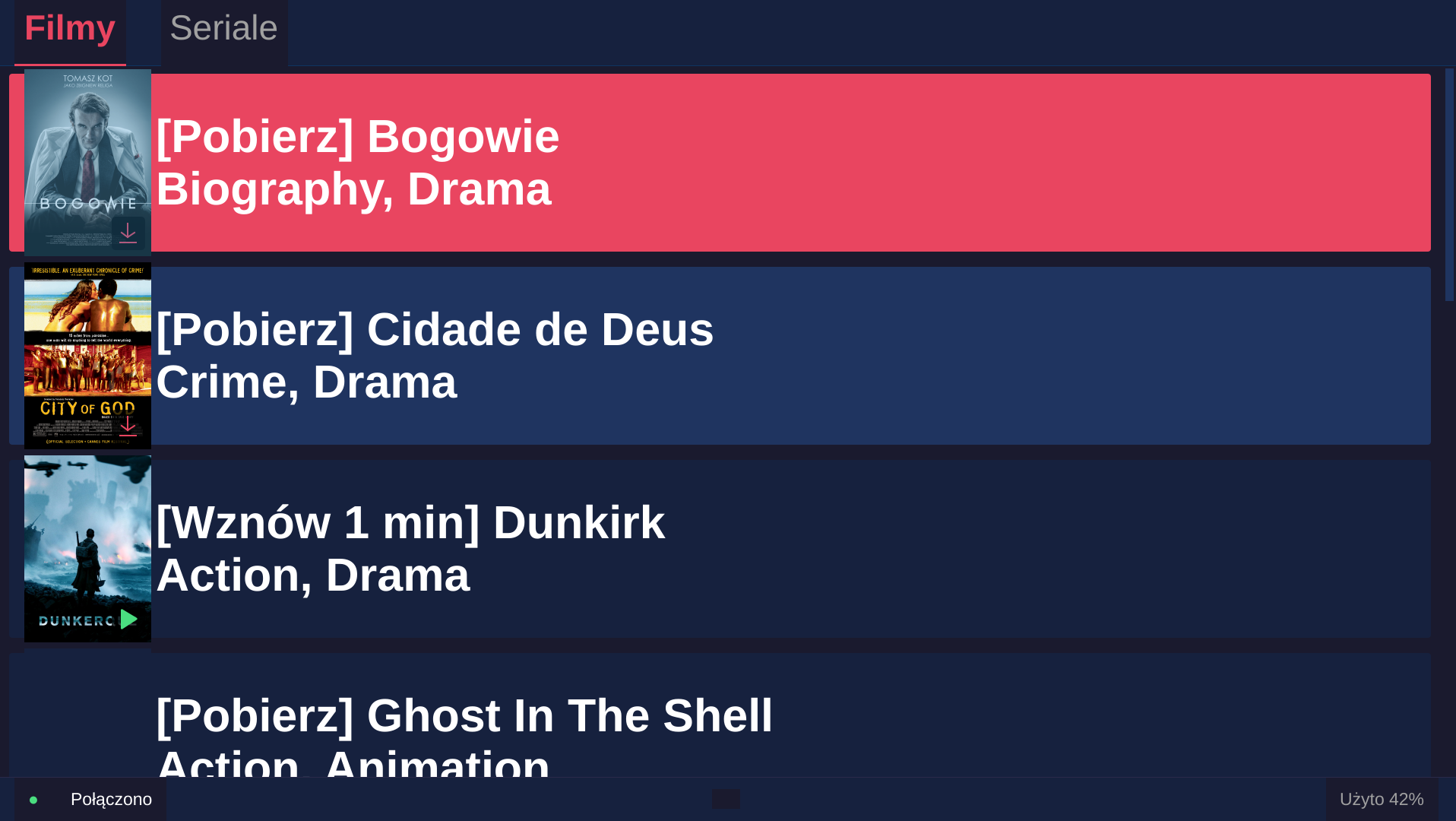
I think this was a good experience. I wrangled a bit both with Pi's hardware and AI's unreliability (and blazing fast coding). Here are my final takeaways from this project:
Avoid using Python for UI. PyQt6 is working, but it took some time to make it right. PySide6 had stability issues PySide6 had stability issues.
When using AI for coding, try to overplan the features. It is easier to reduce than add; creating complete documentation with feature in mind will affect other components and make the integration easier rather than adding new things that do not have this preplanned structure in place.
Make sure you have enough logging.
If an app has GUI, find a way to automate the tests by using things like
ydotooland print screens. Testing manually was not that painful, but the whole process could have been more efficient.Read all the code. I made a mistake. I got comfortable. It worked so well at the beginning of the development that I decided I would not have to read everything after. I missed that we had no VLC logging which made finding this one subtitles bug way harder than it should have been.
I do not understand why Pi was so hard to work with. Maybe this was not the issue with Pi, but with the TV, the router, the libtorrent etc. However, Occam's razor suggests that in fact Pi was the source of the hardware pains.